

In today’s fast-paced business environment, efficiency is key, especially for small business owners juggling multiple responsibilities. Google has recently made waves with enhanced autofill features in Chrome, designed to streamline online tasks and save valuable time.
Starting now, Chrome users on both iOS and Android devices can take advantage of advanced autofill options that not only expedite simple form entries but also tackle more complex information like flight details and vehicle identification numbers (VINs). This functionality promises to reduce the administrative burden on small business owners, allowing them to focus more on what they do best—growing their business.
The new autofill capabilities mean that when checking in for a flight or making parking payments, users can have their information filled out automatically, eliminating the tedious back-and-forth of entering details manually. For busy entrepreneurs, every minute saved can translate into more time spent on critical business operations.
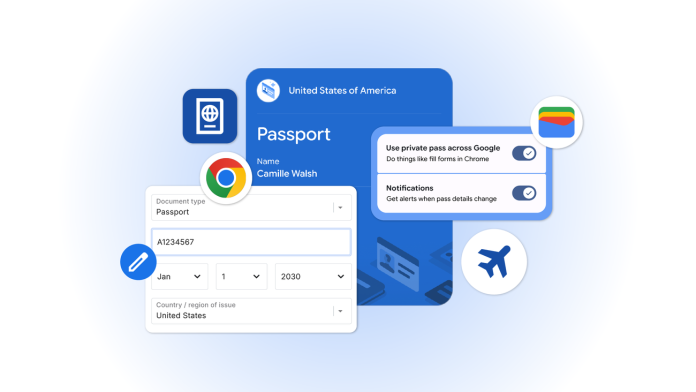
Moreover, the integration of Chrome with Google Wallet adds another layer of convenience. Business owners can now autofill forms using data securely stored in their Google Wallet, which includes essential information such as driver’s license details, passport information, and Known Traveler Numbers. This means no more scrambling to find identification documents when traveling for business or filling in multiple fields on online forms.
Importantly for small businesses, Google maintains a commitment to user security. The autofill feature only saves or fills in information with user consent, and all sensitive data is encrypted. This makes it a viable option for those concerned about privacy, particularly in industries where sensitive information is often handled.
For those looking to optimize their Chrome experience, managing and updating data is straightforward. Small business owners can easily make changes through the Google Wallet settings or the “Autofill and passwords” section in Chrome. Private passes, including IDs, are also controlled through unique management settings, ensuring that users have full oversight of their personal information.
While the advantages of these new autofill features are clear, small business owners should also be aware of potential challenges. Integration of new capabilities may require a learning curve, particularly for those who aren’t tech-savvy. Additionally, as with any system that relies on stored personal information, there’s an inherent risk of data breaches or unauthorized access, though Google’s encryption measures aim to mitigate these concerns.
Nevertheless, the benefits appear to far outweigh the challenges. Enhanced efficiency can lead to significant time savings, reduced errors in form-filling, and a smoother overall online experience, making tasks like booking travel or managing administrative duties less of a hassle.
By leveraging these new tools, small business owners can stay ahead of the curve while also maintaining a strong focus on securely managing their essential data.
For more information about these autofill features and to see how they can integrate into your business processes, visit the original post on Google’s blog: Autofill on iOS and Android.
Image Via Chrome

